AI Automation · Process Automation Audit
A process automation audit for small businesses
Before you automate anything, you need to know what's worth automating. The audit maps how work actually moves through your business, finds the repetitive manual steps eating your team's week, and hands back a ranked shortlist of what to automate first. Run by a senior engineer, not a questionnaire.
What this is
Find the busywork worth automating, before you build anything
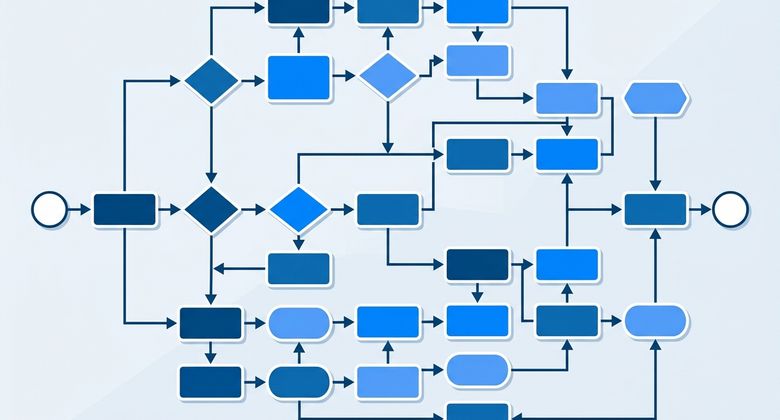
A process automation audit is a structured walk through the way work really moves through your business. Every place a person copies data between two apps, re-keys the same information, or holds up the next step waiting to press a button is a candidate. The audit documents each of those steps, then ranks them by how much manual time they cost and how straightforward they are to automate. You come out with a prioritized shortlist: the highest-return workflow to automate first, the ones to line up behind it, and the steps to leave alone because a human judgment call belongs there. It's the diagnostic that makes the build worth it, done by the same senior engineer who would build it.
What the audit looks at
Where the manual hours actually hide
-
Repetitive, manual workflows
Data entry, copy-paste between apps, and the same information re-keyed into more than one system. The everyday busywork that never shows up on a job description.
-
Lead intake and follow-up
How inquiries come in, who reads them, how they get routed, and how long a lead waits before anyone follows up.
-
Handoffs and approvals
The points where work stops and waits on a person to review, approve, or forward it, and how much time is lost sitting in that queue.
-
Your existing tool stack
What you already run on, like your CRM, inbox, and spreadsheets, and where those tools can be wired together instead of bridged by hand.
Who it's for
Is this you?
-
You suspect a lot of your week is automatable
but you can't point to exactly which tasks, or which one to fix first for the biggest payback.
-
You want a plan before you spend on a build
so the first automation targets the workflow that actually costs the most manual time, not the easiest one to sell.
-
You've grown, and the manual steps haven't kept up
The workarounds that were fine at a smaller size are now quietly costing your team hours every week.
-
You don't have an in-house dev team
You need a senior engineer to diagnose it and, if it's worth it, build and maintain what comes next.
Why iServU
A diagnostic that ends in a plan, not a pitch
The audit hands back a ranked shortlist you own. The same senior engineer who runs it also builds whatever you decide to automate, with no agency layers and no handoffs.
How it works
How the audit runs

-
STEP 01
Free automation-readiness assessment
We start with the no-cost look at your workflows to confirm there's enough manual work to justify a full audit, at no obligation.
-
STEP 02
Map the workflows
We walk through how work moves through your business and document every manual step, handoff, and place a person bridges two tools by hand.
-
STEP 03
Rank what to automate
Each step is scored by the manual time it costs and how straightforward it is to build, then sorted into a shortlist, with the steps to leave alone flagged.
-
STEP 04
Hand back the plan
You get a prioritized shortlist and a suggested sequence, so the first build targets the highest-return workflow and each one after it compounds.
Keep exploring
What the audit leads into
-
AI Automation
The full range of automation and agent work, and how the audit fits the bigger picture.
Visit AI Automation -
AI Agent Development
When the audit turns up a step that needs to reason, not just run, a custom agent handles it.
See agent development -
Free Assessment
The no-cost first step. Get a senior engineer's read on what to automate first.
Start a free assessment
FAQ
The audit, answered
The questions owners ask before booking a process automation audit.
How is the audit different from the free automation-readiness assessment?
The free assessment is the quick, no-cost look that flags whether automation is worth pursuing and where the obvious wins are. The audit is the deeper version: a structured walk through your actual workflows that documents each manual step and returns a ranked shortlist. Most engagements start with the assessment, and the audit follows when there's enough to justify going deeper.
What do I actually get at the end?
A prioritized shortlist of the workflows worth automating, ranked by how much manual time each one costs and how straightforward it is to build. It also names the steps you should leave alone. It's a plan you can act on, not a slide deck.
Will you tell me not to automate something?
Yes, and that's part of the point. Some steps need a human judgment call, and some run too rarely to be worth the build and upkeep. The audit flags those so you don't spend on automation that costs more to maintain than it saves.
Do I have to automate everything you find?
No. The shortlist is yours to act on at your own pace. You can start with the single highest-return workflow and stop there, or work down the list. There's no requirement to buy a build after the audit.
What does the audit cost?
It's scoped per engagement after the free assessment, based on how many workflows and systems it needs to cover, so there's no flat rate to quote up front. The assessment that comes first is free and carries no obligation.
Start here
Want to know what's worth automating first?
Start with a free, no-obligation assessment. If there's enough manual work to justify it, the full audit hands you a ranked plan.
Start with a free assessmentNo cost, no obligation. A senior engineer reviews your workflows personally.
A quick starting point
Find my automatable workload
Use your own team context to estimate the recurring manual work worth automating first, before we scope the audit.