AI Automation · Process Automation Builds
Process automation that moves work forward
Connect the forms, inboxes, CRMs and approvals your business already runs on. iServU builds the handoffs in n8n, Zapier and Flowise, with a human in the loop wherever the decision matters.
What this is
A reliable path between the tools you already use
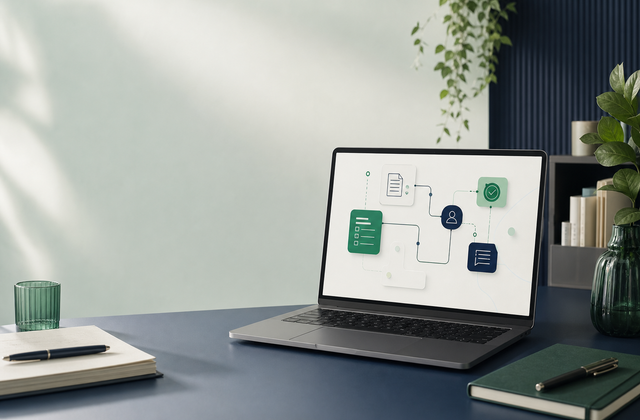
Process automation connects the steps between an input and an outcome: a form becomes a qualified lead, an approval becomes a task, or a request becomes a complete record. iServU designs and builds these workflows for small businesses using Zapier, n8n and Flowise, choosing the simplest tool that can handle the job. The result is less copying and pasting, clearer handoffs and a workflow your team can understand and maintain. Every build makes room for a human approval when an action is consequential.
What we build
The handoffs worth automating
-
Lead and inquiry routing
Capture a request, enrich the context and route it to the right person without another manual inbox pass.
-
Approvals and handoffs
Move a request through review, notification and assignment while keeping the decision-maker in control.
-
Records and follow-up
Keep your CRM, spreadsheets and project tools aligned when a customer, task or status changes.
-
AI-assisted process steps
Summarize, classify or draft inside a workflow, with guardrails around what the AI can see and change.
Who this is for
For teams that have outgrown manual handoffs
-
The same information is entered in more than one place
and the cost is showing up as missed follow-up or stale records.
-
A request passes through several people before it is complete
with no dependable view of where it stands.
-
You have a stack of tools but no one owns the connections
and small changes keep breaking the workflow.
-
You want an engineer who can stay with the build
from the first map through maintenance and improvement.
Proof & stack
Automation built by someone who understands the systems around it
The verified stack is Zapier, n8n and Flowise. iServU builds practical AI-driven workflows around the systems your team already uses, with clear handoffs and human approval where it matters.
How we build it
A workflow that is clear before it is clever
-
STEP 01
Map
Trace the current handoff, the systems involved and the decision points that need a person.
-
STEP 02
Choose
Select the smallest dependable toolset: Zapier, n8n, Flowise or a focused combination.
-
STEP 03
Build
Connect the steps, add validation and write the failure paths so the workflow is safe to run.
-
STEP 04
Test
Run real examples, including incomplete records and edge cases, before the workflow touches production.
-
STEP 05
Maintain
Keep the connections and business rules current as your tools and process evolve.
Explore the numbers
See where a connected workflow saves manual work
Use the calculator when it is ready to estimate the time a process could give back. No form and no wait.
Keep exploring
Automation works best in context
-
AI Agent Development
Add decision-making and tool calling when a fixed workflow is not enough.
Explore agent development -
Managed IT Services
Keep the infrastructure your workflows depend on monitored and reliable.
See managed IT services -
Consulting Engagements
Stay hands-on with an engineer who can improve the system after launch.
See consulting options
FAQ
Process automation, answered
The questions to settle before connecting your first workflow.
What is included in a process automation build?
A build starts with the handoff you want to remove, then maps the systems, decisions and approvals around it. The finished workflow includes the integrations, error paths, human checkpoints and a short handover so your team can run it with confidence.
Do you build with n8n, Zapier or Flowise?
The tool follows the job. Zapier is a good fit for straightforward app-to-app workflows, n8n gives more control over branching and data, and Flowise is useful when the workflow needs an AI step. Many useful builds combine two of them.
Can a person approve an action before it runs?
Yes. Consequential actions can pause for a human approval, while reversible work such as sorting, tagging or drafting can continue automatically. The approval boundary is part of the design, not an afterthought.
How do you keep an automation reliable after launch?
Every build has explicit failure paths, useful notifications and a clear owner. After launch, the workflow can be monitored and adjusted as your apps, records and business rules change.
Start here
Have a handoff that should happen automatically?
Bring the process as it exists today. iServU will help you decide what to automate first, what to keep human and how to build the connection safely.
Get a free assessmentNo obligation. A senior engineer reviews every request personally.